EPUB is the most popular format for ebooks and by far the best option for reading books with Increader.
Import an EPUB
- Start a new import from the sidebar.
- Select the file upload option and choose your EPUB.
- If you leave the title blank, Increader will extract it from the book itself.
- Decide whether it should go straight into the queue.
- Press
Create Bookmark.
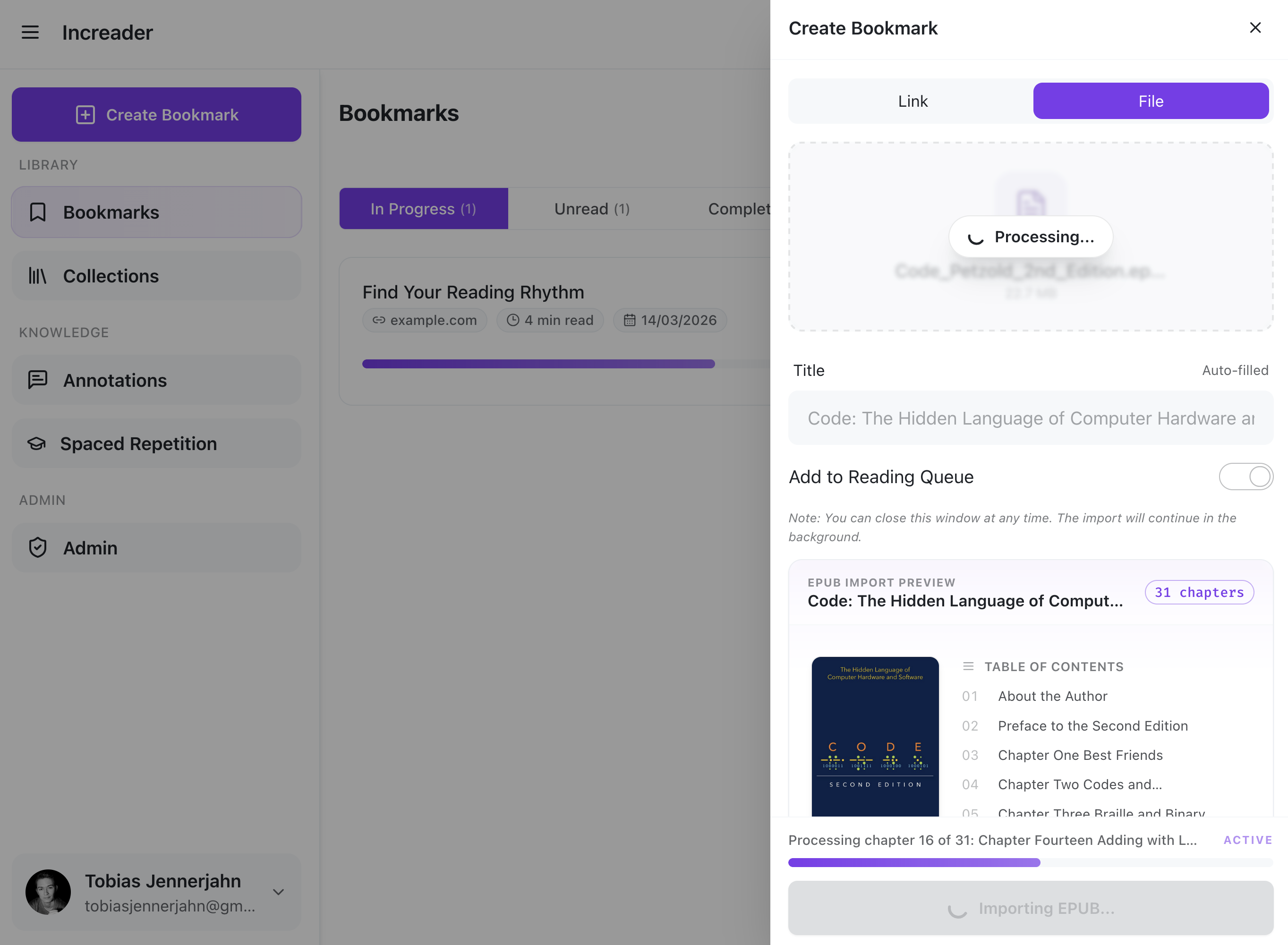
After starting the import, Increader will start to extract the title and cover image of the book to create a new collection. It will then create one bookmark per chapter and add them all to the new collection. If you opted to add the book to your reading queue, the first chapter will be added automatically.
Once the import finishes, you can see the newly created collection by clicking on the Collections tab in the sidebar on the left.
Known Issues
Cross-Chapter links are currently not supported in Increader. If an epub references a page or a section in a different chapter from the same book, increader will not be able to navigate to that section.
We are working on a fix.