Increader has built-in support for highlights and annotations, so you can capture insight without leaving the reading flow.
Create a highlight
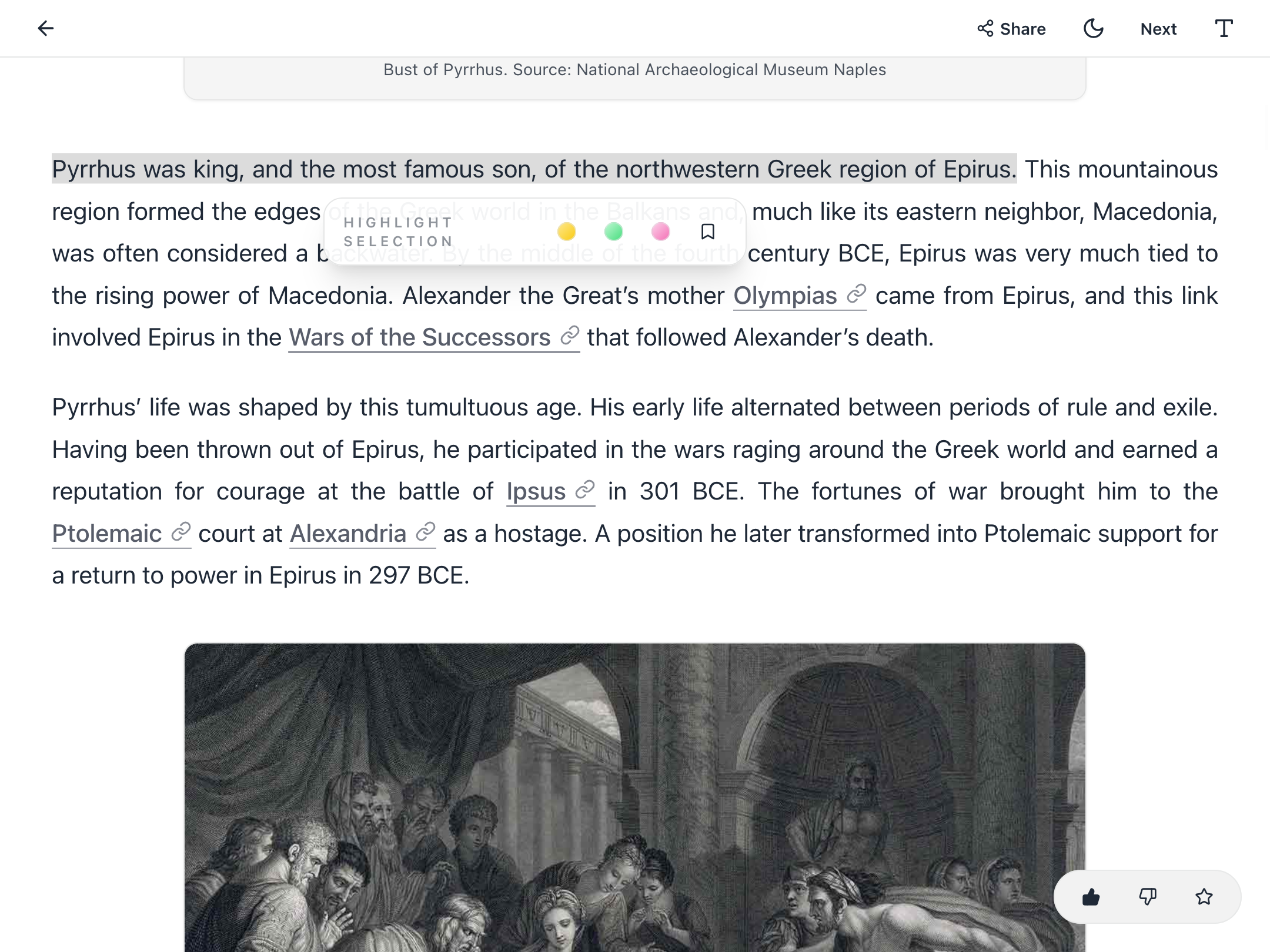
Select a passage while reading and a small menu will appear. Choose a highlight color to save the selection.
Add an annotation
After highlighting a section, click it again to add a note.
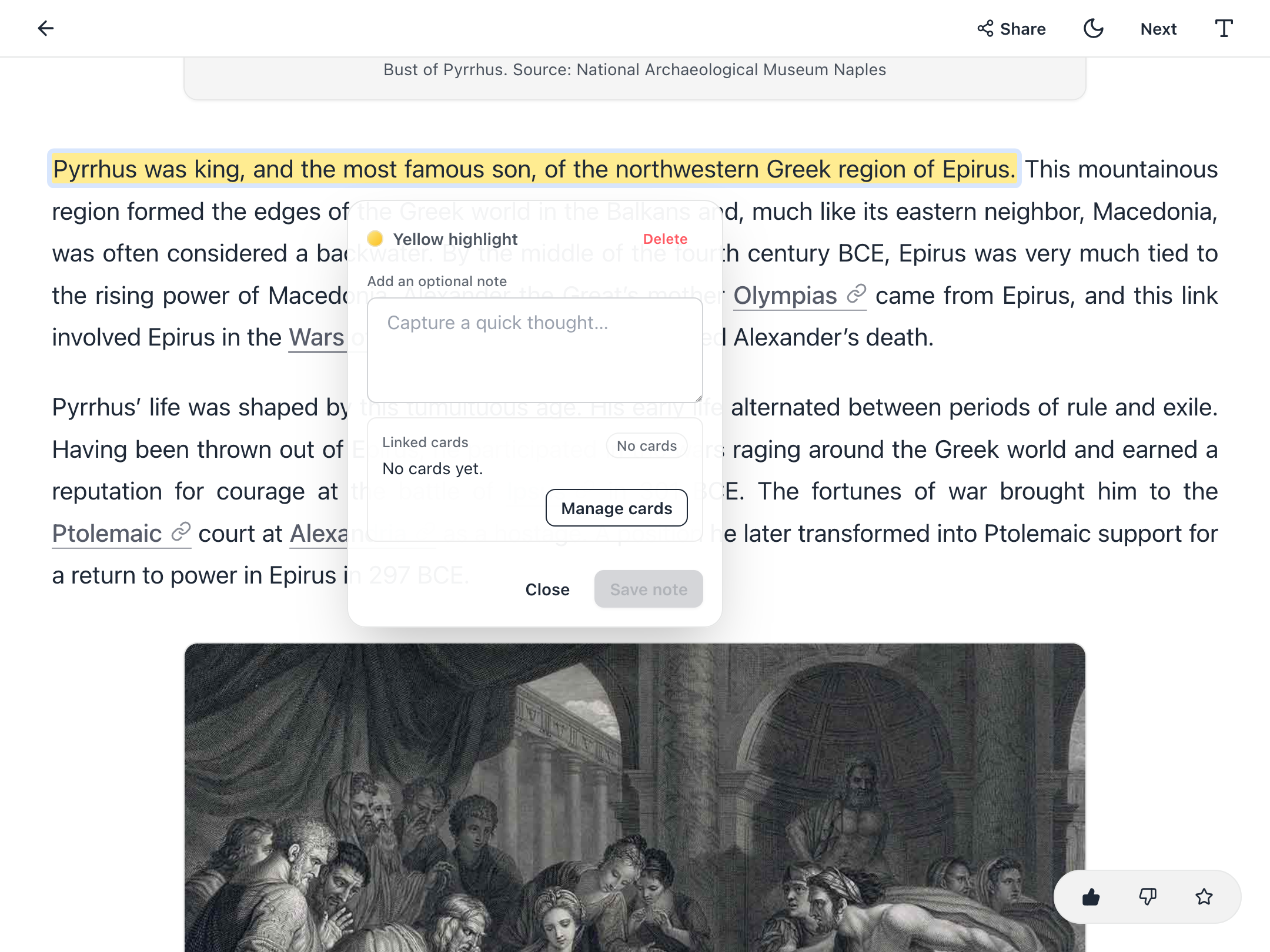
Use the note field to capture why the passage matters, not to restate the passage itself.
From this menu you can also remove the highlight or turn it into a spaced repetition card.
Review your annotations in one place
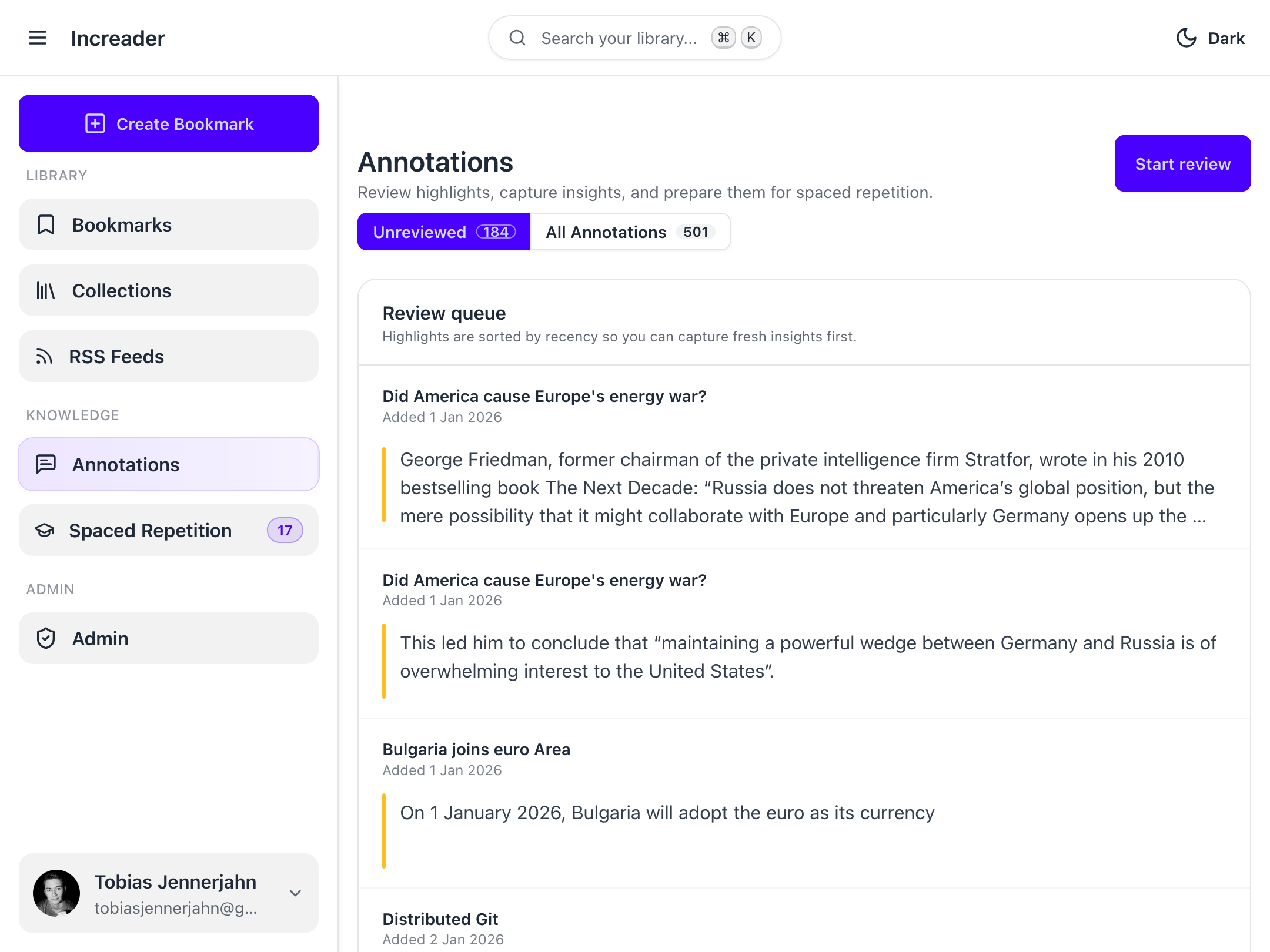
Open the annotations view to see every highlight and note for the current document in one place.
Good annotation habits
- If your bookmarks end up covered in highlights, you are likely doing it wrong. Most writing contains a few key insights worth remembering, not dozens. If nothing jumps out at you, don’t force yourself to highlight things.
- Notes can often be skipped initially. Since Increader always shows you the surrounding text of your highlights during review, required context is often already available.
- Some things are worth highlighting, but not worth turning into spaced repetition cards. There’s a difference.